Contracts do not fail at signing. They fail in the months and years that follow — when renewal windows pass unnoticed, when obligations are not tracked against the agreement text, when a counterparty sends an amendment and three people have different versions of the original in their email. Organizations that manage contracts manually are not just accepting inefficiency; they are accepting a slow accumulation of legal and financial risk that only surfaces when something goes wrong.
The case for automating contract management in 2026 is not primarily about saving time on drafting. It is about building a system that maintains visibility across an entire contract portfolio without requiring continuous manual attention. This guide walks through how to get there.
What Contract Management Automation Actually Means
Contract management automation is not a single capability. It is a set of integrated processes that together eliminate the manual work and visibility gaps of the traditional approach. Understanding what each component does helps in prioritizing where to start and what to evaluate in a platform.
Template-based drafting replaces the practice of copying and modifying previous contracts, which introduces version drift and non-standard language over time. Pre-approved templates define the baseline clause language for each contract type — NDA, MSA, SOW, vendor agreement — so that new contracts start from a consistent foundation.
Structured approval routing replaces email chains with a system-enforced workflow: who needs to review, in what order, based on what parameters (contract value, type, counterparty risk). Approvals become trackable and auditable rather than reconstructed from inbox searches.
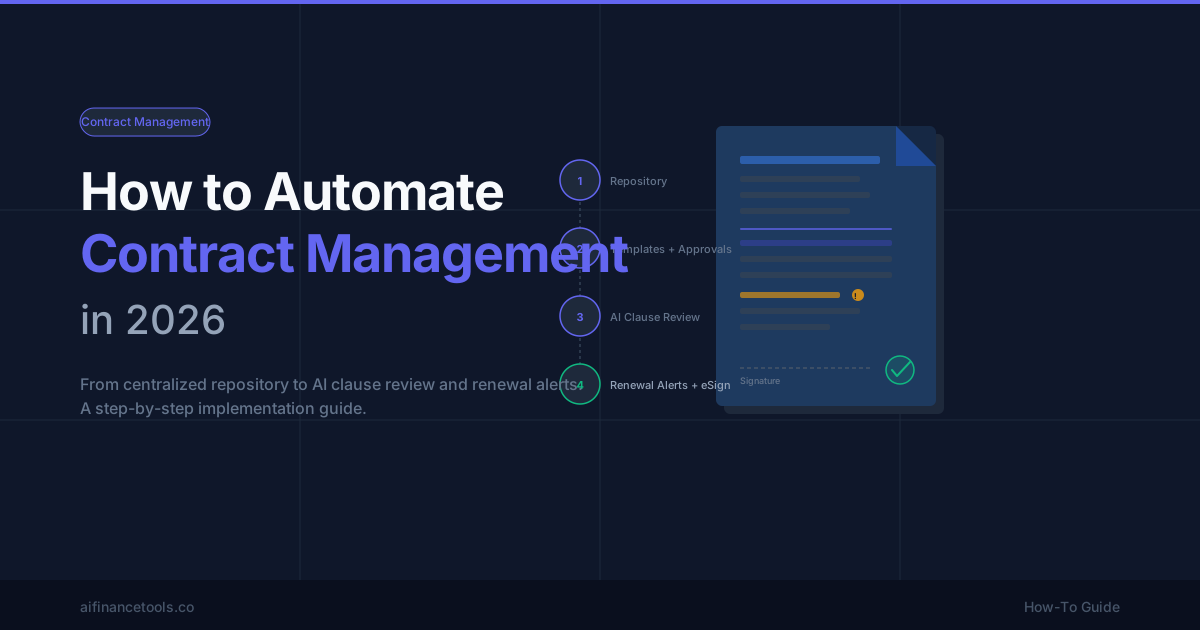
Centralized repository with full-text search replaces the shared drive folder structure where finding a specific agreement requires knowing who created it and what they named the file. A CLM repository indexes metadata and contract text, so any clause, party name, or term can be retrieved in seconds.
AI clause review adds a first-pass risk filter: the system extracts non-standard language, flags deviations from your clause playbook, and surfaces provisions that warrant attorney review. It reduces the manual reading required before each agreement moves forward.
Renewal and obligation alerts replace calendar reminders and spreadsheet trackers with automatic notifications — generated from the contract's own terms — at configurable windows before expiry or obligation deadlines.
eSignature and CRM integration connect the contract workflow to the systems where deals start and close, eliminating manual handoffs between platforms.
Key Steps to Automate Your Contract Workflow
Step 1: Centralize Your Contract Repository
Before adding any automation, every active contract needs to be in one searchable location. Scattered contracts across email, shared drives, and local desktops make any downstream automation unreliable — you cannot set renewal alerts on agreements you cannot find.
Migration planning is consistently underestimated. Most organizations discover their contract inventory is larger and less organized than expected. Build a metadata schema before migration — parties, contract type, value, effective date, expiry date, governing law, renewal terms — and apply it consistently as contracts are imported. Inconsistent metadata produces poor search results and unreliable alert coverage.
Access controls matter from day one. Define who can view, edit, and approve contracts by type and sensitivity. Contracts with pricing terms or regulatory implications may need restricted visibility even within the legal and finance functions.
Step 2: Build Templates and Approval Workflows
Standardize drafting with pre-approved templates for your highest-volume contract types. Each template should embed your preferred clause language, including fallback positions — what is acceptable if a counterparty objects to the standard term. Templates reduce negotiation cycles by starting from a defensible position rather than a blank page.
Design your approval matrix explicitly before configuring any system. Who approves a vendor agreement under a given dollar threshold? What routes to general counsel versus a non-legal approver? When does executive sign-off trigger? Unclear approval authority is the most common source of approval-cycle delay — software surfaces the problem but does not solve it; the matrix design must come first.
Step 3: Add AI Clause Review
AI clause review works by comparing extracted contract language against a predefined playbook of acceptable and unacceptable terms. When the system identifies language that deviates from the playbook — a missing limitation-of-liability cap, a non-standard indemnification scope, an unusual termination trigger — it flags the clause for human review rather than passing it through automatically.
Before relying on AI review in production, test the platform on a sample of your actual contract types, including any non-standard or jurisdiction-specific formats. Accuracy on common agreement types is typically high; accuracy on unusual formats or heavily customized agreements varies. A high false-positive rate on routine language slows reviewers down without delivering risk reduction. Calibrate the sensitivity thresholds based on observed performance on your contract mix, not on the vendor's accuracy claims for their benchmark data.
AI clause review is a first-pass filter, not a legal opinion. High-value, complex, or regulated agreements still require attorney review — the AI component compresses the time spent on initial read, not the judgment required for legal assessment.
Step 4: Set Up Renewal and Obligation Alerts
Contract renewals that miss their renegotiation window often auto-renew on terms that no longer reflect current market conditions or relationship status. Alerts at 90, 60, and 30 days before expiry give the responsible stakeholder time to initiate a review, request changes, or decide on non-renewal before the window closes.
Obligation tracking goes beyond renewal dates. Many contracts include ongoing obligations — reporting deliverables, SLA performance commitments, audit rights windows, exclusivity periods, milestone payments — that require action before the agreement expires. Tracking these from the contract text rather than relying on manual calendaring reduces the risk of a missed obligation creating a breach.
Step 5: Integrate eSignature and CRM
eSignature integration — connecting your CLM to DocuSign, Adobe Sign, or a similar platform — allows contracts to be sent for signature directly from within the contract system, without exporting to a separate tool. Executed agreements should return automatically to the CLM with signature timestamps, signer names, and the audit certificate intact.
CRM integration (Salesforce, HubSpot) creates a connection between deal close and contract initiation: when a deal reaches a defined stage, a contract request is triggered, removing the manual handoff from sales to legal or operations. Confirm that your CRM integration is bidirectional — that contract status and executed terms are visible within the CRM record, not just that contracts can be initiated from it.
Choosing the Right Tool
The right CLM platform depends on your team size, process complexity, and primary pain point. The platforms that come up consistently in this category serve meaningfully different buyer profiles.
For enterprise teams with high contract volumes and complex approval hierarchies, Ironclad is built around configurable workflow automation and intake routing — it is designed for organizations where contract operations is a dedicated function, not a shared responsibility between legal and finance.
For teams whose primary need is AI-driven clause analysis across a diverse contract portfolio, Lexion is well-regarded for extraction accuracy and the breadth of contract types it handles effectively — a relevant differentiator when the standard CLM AI performs well on NDAs but struggles on custom enterprise agreements.
For small and mid-size teams that need centralized repository, renewal alerts, and basic approval workflows without enterprise implementation overhead, ContractSafe provides a straightforward path to functional CLM without requiring a specialist administrator to configure and maintain.
For a broader comparison of how these and other CLM platforms differ on key dimensions, see our best contract management software evaluation.
Common Pitfalls to Avoid
Migrating contracts without cleaning metadata first is the most common implementation mistake. Poor metadata quality — inconsistent date formats, missing party names, absent expiry dates — produces a searchable repository that cannot reliably surface what users are looking for. The migration is the right moment to establish metadata discipline; it is much harder to enforce retroactively.
Over-configuring approval workflows before the team has adopted the system produces the same outcome as a poorly designed process: people route around the tool rather than through it. Start with a simple approval matrix that covers the majority of contracts, and add complexity only when observed gaps make it necessary.
Treating AI clause review as a legal opinion rather than a risk filter creates a different kind of exposure. AI-flagged clauses still require human judgment; unflagged clauses still carry risk. The value of AI review is in directing attention efficiently, not in replacing the review itself.
Skipping integration with eSignature and CRM tools creates a CLM that operates as an isolated silo — contracts are stored there, but the workflow still breaks into manual steps at the edges where the CLM hands off to other systems. Integration is not a late-stage feature addition; it is part of the initial workflow design.
Contract management automation does not deliver its full value immediately. The compounding benefit — better renewal visibility, faster approval cycles, reduced legal review time — becomes clear over the first few contract cycles as the system accumulates data and the team's habits shift toward the new workflow. Start with centralization and alerts, stabilize adoption, then layer in AI review and integrations as the foundation becomes reliable.